
As technology is embedded into science, maths and engineering activities in PBL can be boosted with the assistance of ICT.
Technology can serve as a good tool then to facilitate PBL. According to Moursand (2003, p. xi), an ICT-assisted PBL lesson has the opportunity for children:
To learn in an authentic, challenging, multidisciplinary environment;
To learn how to design, carry out, and evaluate a project that requires sustained effort over a significant period of time;
To learn about the topics on which the project focuses;
To gain more ICT knowledge and skills;
To learn to work with minimal external guidance, both individually and in groups;
To gain a self-reliance and personal accountability.
As an educator, opportunities include:
To learn ICT alongside your children;
To gain skills in creating a constructivist learning environment;
To facilitate the creation of a highly motivating learning environment.
It is the advancements in computers and networks that facilitate and provide constructivist and cooperative learning environments, thus paving the way for cooperative activities and constructivist learning.
The pedagogy associated with PBL helps to achieve this as it involves hands-on, minds-on and experimental approach centred on an authentic problem.
ICT-assisted PBL helps children to develop various skills such as technological literacy, critical thinking, and problem-solving and social skills.
What are goals of PBL with technology?
There are 10 goals of ICT-assisted PBL stated by Moursand (2003) and a good ICT-assisted PBL is likely to include most of these. They include:
Developing content area expertise;
Improving research skills;
Improving higher-order skills;
Learning how to do a project;
Learning to use ICT;
Conducting self-assessment and peer assessment;
Developing a portfolio;
Assuming personal responsibility for one’s engagement in a relatively complex learning task;
Being a part of a community of scholars;
Working on important ideas.
The Challenge
There are a number of challenges ahead of you when you decide to use PBL particularly when assisted with ICT. The first one is that you need to accomplish the mission of your school and especially the education system in which you work in.
The use of ICT in this instance is merely recognised as a means to an end – a methodology, remember that there are other methods at your disposal.
Along with this, keep in mind that PBL is a more complex instructional tool than the didactic instructional approach.
There needs to be considerations made towards approaches in classroom management. For example, you need to manage children working in groups and moving around the room.
The use of project based learning with technology adds a further challenge to you as may not have a deep mastery of ICT skills at your disposal. So the decision to use PBL in an ICT environment will enable you to grow and learn alongside children. Considering personal learning goals is a wise option when you begin your planning.
ICT-assisted PBL lessons also requires a different approach to assessment as demonstrated in our ebook Assessment for Learning: ICT Capability in Early Childhood.
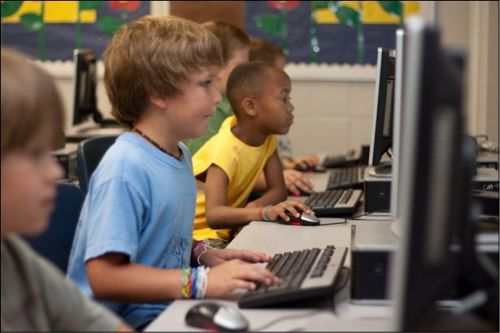
5 Tips for Using Technology to Enhance Project Based Learning
Technology can be used to enhance project-based learning, providing an engaging and immersive platform for students to explore topics, demonstrate understanding, and collaborate with others. This article will discuss nine innovative ways to use technology in project-based learning and provide tips on how to get the most out of this powerful teaching tool.
Technology can be used to enhance project-based learning, providing an engaging and immersive platform for students to explore topics, demonstrate understanding, and collaborate with others. This article will discuss nine innovative ways to use technology in project-based learning and provide tips on how to get the most out of this powerful teaching tool.
Start with a Question or Problem.
The best project-based learning activities begin with a question or problem that students must research and solve. This can be open-ended, allowing for student-led inquiry, or more structured and scaffolded by the teacher. In either case, it’s important to provide ample guidance and structure to ensure that students understand the goal of their task and are equipped to successfully complete it. Additionally, be sure that the technology chosen is appropriate for your class.
Choose Relevant Technology to Solve the Problem.
Students need to use the right tools and devices to complete their project-based learning activities. When selecting technology, let the problem dictate the device! For example, if students are creating a presentation or video on their research topic, they might need laptops or tablets to create digital content. If they need extra guidance on navigating unfamiliar software, consider investing in e-learning platforms that provide tutorials. Ultimately, spending time early in the process to choose relevant technology can save you a lot of stress down the road.
Explore and Share Digital Resources.
Make sure to provide enough resources for students to explore their individual interests — including online and print publications, satellite imagery, streaming video services, animation tools and more. Doing so will help them dive deeper into the project's specific topic area alongside the digital content they've created. Once students have collected these resources, create a shared platform where you can share digital artifacts and showcase student work within the classroom or with an extended audience. This helps make their learning visible while engaging multiple senses at once!
Utilize Collaboration Features and Tools.
Collaboration tools, such as Google Docs and other sharing applications, can help facilitate dialogue and understanding between students who may have different perspectives. Together, these students can create a comprehensive overview of the project's subject matter by each contributing their own expertise to the group. These online collaboration tools also offer audio and video chat capabilities that allow for real-time communication within your digital learning environment.
Allow for Personalization and Self-Directed Learning.
Technology can open the door for students to personalize their learning. By providing various digital resources to your class, you're offering each student an opportunity to explore and guide their own learning experience. There are a variety of personalized learning applications available that can help students develop skills in areas such as coding, critical thinking and problem-solving. As a teacher, you can guide your students on how to select and use these resources effectively, enabling them to become truly self-directed learners.