
By Michael Hilkemeijer
A Starting Point for Digital Integration in Primary Education
Integrating ICT can feel daunting — especially when technology changes so quickly and teachers are juggling so many other demands. But research is clear: when technology is woven thoughtfully into teaching and learning, it enhances student outcomes, strengthens engagement, and builds future-ready skills (ACER, NESA).
The question is, what does this integration really mean, and how can primary teachers do it in ways that feel achievable today?
Understanding the Difference
Integration is more than “adding technology” — it’s about embedding digital tools in ways that support the learning goals you’ve already set. Think of it as aligning ICT with curriculum outcomes, not using it for its own sake.
Just using technology | Integrating technology |
|---|---|
Typing spelling words into a program | Creating and narrating a digital story to show spelling in context |
Playing a maths game on an iPad | Using Bee-Bots to model mathematical concepts like shape and distance |
Searching online for “life cycles” | Taking photos during a nature walk to document and explain plant life cycles |
Why This Matters for Learning
When ICT is integrated into everyday learning, children are not just “using devices” — they are:
Developing digital literacy and confidence
Engaging in creative problem-solving
Collaborating in authentic, hands-on projects
Building critical thinking and inquiry skills
Meeting curriculum expectations for ICT capability
These benefits are why curriculum authorities, including the NSW Education Standards Authority, highlight ICT integration as an essential capability across subjects.
Small Steps You Can Try Right Away
Integration doesn’t have to be complicated. You can begin with small, meaningful steps:
Choose one learning goal – start with a maths, science, or literacy outcome you already plan to teach.
Match it with a digital tool – such as a Bee-Bot, drawing app, or digital camera.
Design a short task – for example, program a Bee-Bot to move across a map, or photograph shapes during a nature walk.
Reflect together – ask students, “How did the technology help us learn this today?”
Even this small cycle of plan → use → reflect is integration in action.
Practical Illustrations
Here are three simple activities you could try tomorrow:
Learning area | Digital tool | Example activity | What students gain |
|---|---|---|---|
Literacy | Tablet with Book Creator | Children record their own story outdoors, combining narration with images | Oral language development and creative expression |
Numeracy | Bee-Bot programmable toy | Students program Bee-Bot to follow a route shaped like a 2D figure | Spatial reasoning and problem-solving |
Science | Tablet/digital camera | Students photograph patterns in nature (leaves, bark, flowers) during a walk | Observation, classification, and scientific thinking |
Try one of these tomorrow — and you’ll already be taking confident steps towards digital integration.
Building Momentum Beyond the First Step
Taking one small step builds confidence. And when teachers see technology working, the natural next question becomes: where else in my classroom can this happen?
That’s where professional development matters. Research shows that teachers integrate ICT most effectively when they have structured, continuous learning opportunities (ACER, OpenLearn).
This is exactly what the ICT in Education Teacher Academy is built for. As a member, you don’t just get lesson plans like the ones above — you follow the Success Path: Technology Integrator’s Learning Journey to Transformation. Starting with foundational videos, you gain clarity about digital pedagogy. From there, you access hundreds of ready-to-use lesson plans, expert playlists, and workbook tools to plan, observe, and reflect. And when you need support, the Wisdom Tool and community provide answers 24/7.
What you try today on your own, the membership helps you amplify and sustain — until integration becomes second nature.
Looking More Closely at Everyday Practice
When you begin to see digital integration this way, it becomes easier to notice where technology already exists in your classroom — and where it could support learning more meaningfully.

The Everyday Technologies That Shape Learning
Teachers often ask what ICT in the classroom really means. They know technology is present — but the question is, what exactly counts as ICT, and how does it support learning?
The challenge is that ICT tools are constantly emerging. What was new yesterday can feel outdated tomorrow. And with the pace of change, even experienced teachers sometimes wonder if they’re keeping up.
This blog gives you a clear, meaningful picture of what ICT in the classroom looks like right now — and how these tools connect to primary learning.
What the Research Says
Education bodies consistently highlight ICT as a core part of quality teaching.
The NSW Education Standards Authority frames ICT capability as a general capability across all learning areas.
The Australian Council for Educational Research (ACER) notes that ICT supports digital literacy, critical thinking, and higher-order problem-solving.
AITSL shows how technology helps create engaging learning environments when integrated intentionally.
In other words: ICT in the classroom isn’t optional or “extra.” It’s part of how students today learn, create, and connect.
A Closer Look at ICT Tools
Here’s a detailed overview of the most common ICT tools in primary classrooms, what they are, and how they support learning:
ICT Tool | What it is | How it supports learning | A new perspective for teachers |
Interactive whiteboard | A large touch-sensitive screen connected to a computer | Display and annotate lessons, model maths problem-solving, co-view multimedia | Move from “display” to co-constructing texts with students by annotating together |
Tablets | Portable devices (e.g., iPads) | Digital storytelling, photography, maths games, research | Use for collaborative ebooks or documenting science observations outdoors |
Laptops/desktops | Computers with full functions | Writing, coding, presentations, online collaboration | Pair students to co-edit writing or run group research projects |
Digital cameras | Built-in or standalone devices | Documenting learning, capturing experiments, creating digital portfolios | Use to track long-term growth projects like plant studies |
Programmable toys | Robots (e.g., Bee-Bot, Sphero, Cubetto) that follow coded commands | Sequencing, problem-solving, directional language, storytelling | Use as “characters” in creative narratives — Bee-Bot becomes a butterfly collecting nectar |
Learning apps/software | Programs for specific skills or creativity (e.g., Paint 3D, ScratchJr, Book Creator) | Enable creativity, collaboration, assessment | Ask: is the app teacher-led or student-driven? Shift towards student agency |
Document cameras | Project physical documents or student work in real time | Share and discuss examples collectively | Use to analyse writing samples live with peer feedback |
Online platforms | Cloud-based spaces (e.g., Google Workspace, MS Teams) | Collaboration, feedback, building digital portfolios | Encourage peer-to-peer commenting and shared editing |
Seeing ICT tools this way — as teaching resources with clear learning applications — helps move them from “present” to “purposeful.”
Try This Right Now
Take one ICT tool already in your classroom and shift how you use it.
If you normally show a video on your interactive whiteboard, instead annotate a text live with your class.
If your students use tablets for games, instead ask them to photograph patterns in nature and share their findings.
If you have a Bee-Bot, don’t just move it around the mat — turn it into a character that “collects” story elements as part of a narrative.
Even a small change like this helps you begin to see the real potential of ICT in your classroom.
Amplifying This with Ongoing Support
Knowing what ICT tools are in the classroom is the first step. But the challenge is that the list never stays still. New apps, devices, and platforms keep emerging, and it’s not realistic for one teacher to keep up alone.
This is where the ICT in Education Teacher Academy makes the difference.
As a member, you don’t just access lesson plans and resources — you become part of an exclusive community of educators who share strategies, answer questions, and support one another in integrating ICT effectively.
And with the Wisdom Tool, you can get 24/7 answers to your ICT questions. The database is continually updated, meaning you’ll always find guidance — whether you’re working with familiar tools like interactive whiteboards and Bee-Bots, or exploring technologies that might appear tomorrow.
The membership makes sure you’re never standing still, and never working it out alone.
Moving Forward with Confidence
Now that you can clearly see what ICT tools are in your classroom and what they can do, the next step is to think about how you’ll use them with your students. It’s one thing to recognise the devices and platforms that surround you — it’s another to turn them into powerful teaching resources.
This is where examples make all the difference. Seeing how other teachers have used these tools can spark ideas, give you confidence, and help you move from “having” ICT in your classroom to truly making it work for learning.

From First Steps to Leadership: Real Examples of ICT Integration
If you’ve ever wondered how to integrate ICT in the classroom, the best way to find answers is to see what it looks like in practice. Research consistently shows that successful ICT integration isn’t about using the latest gadget—it’s about teachers building confidence through ongoing, personalised support. One-size-fits-all professional development doesn’t work.
That’s exactly why the ICT in Education Teacher Academy exists: to meet teachers where they are and guide them through a structured journey. Let’s look at two real examples from members at very different stages — a beginner and a leader — to see what ICT in the classroom looks like when it’s purposefully integrated.
A Beginner’s Story: Mia’s First Steps
Mia, a Year 3 teacher, wanted to know how to integrate ICT in the classroom without feeling overwhelmed. She had tablets and laptops, but usually used them for games or videos. She needed a way to start small and feel successful.
Her first step was simple: use two ICT tools in a way that supported student learning.
Laying the foundations
She watched the membership’s Foundation Video on TPACK, which explained how technology, pedagogy, and content work together.
In her workbook, she wrote down where she lacked confidence and set a small goal: use tablets for something other than entertainment.
Finding practical ideas
She completed the classroom ICT Audit to see what was available.
With the Wisdom Tool, she discovered ideas for using tablets in maths and literacy.
Planning with clarity
She adapted a lesson plan where students photographed playground patterns.
She set her learning intention clearly using the Lesson Planning Template.
Teaching and reflecting
Students worked in pairs, capturing shapes and describing what they found.
Mia tracked engagement with the Observation Guide.
Afterwards, she reflected on what worked and how she could build on it next time.

Mia’s Workbook Journey
Workbook Tool | How Mia Used It | Impact on Learning |
ICT Audit | Identified tools in her classroom | Realised tablets could support exploration |
Lesson Planning Template | Wrote a focused goal | Kept lesson purposeful and student-centred |
Observation Guide | Recorded collaboration and sequencing | Evidence supported assessment |
Reflection Prompts | Reflected on student voice and outcomes | Built confidence for next steps |
✅ Key Takeaway: Even one new use of a familiar tool — like tablets — can turn ICT in the classroom from “present” to “purposeful.” Research shows that teacher confidence grows through scaffolded support, not one-size-fits-all workshops.
Trial the membership for just $20 AUD per month then save $40 instantly when you switch
to the Annual plan of $200 AUD per year!
An Experienced Leader’s Story: Mark’s Whole-School Approach
Mark, a Deputy Principal, already had experience with ICT in the classroom, but he wanted to go further. His goal was to create a school-wide vision for ICT integration in teaching and learning that engaged staff and students.
Research supports this approach: ICT is most powerful when it’s used as a “mindtool” to support higher-order thinking, creativity, and collaboration.
Here’s how the membership helped him turn that vision into action:
Clarifying leadership goals
He watched a workshop on digital leadership.
Using workbook reflection pages, he wrote what ICT should achieve across year levels.
Designing a school-wide project
He proposed a Digital Learning Showcase where every class presented projects that used ICT tools in the classroom.
He refined the plan after posting it in the membership community.
Documenting and sharing
He created a case study in his workbook, capturing planning, challenges, and outcomes.
He later shared this in the community so other schools could adapt it.
Mentoring colleagues
He used workbook planning pages to guide two teachers in creating ICT-integrated lessons.
With the Wisdom Tool, he accessed examples of ICT integration in the classroom from other schools.
Mark’s Workbook Journey
Workbook Tool | How Mark Used It | Impact on Teaching and Learning |
Reflection Pages | Defined a shared ICT vision | Aligned digital goals with school priorities |
Planning Pages | Supported mentoring sessions | Teachers built confidence in lesson design |
Community Forum | Shared showcase idea | Improved plan with peer input |
Case Study | Documented the process | Became a resource for others |
Observed Student Outcomes from the Showcase
Student Outcome | Observed Evidence (Workbook) |
Problem Solving | Coding projects required debugging |
Critical Thinking | Students explained project choices to peers |
Creativity | Digital storytelling showed original narratives |
Confidence | Students presented projects to the community |
✅ Key Takeaway: ICT integration in the classroom can grow from individual lessons into school-wide culture when leadership is intentional and evidence is recorded. This is exactly what research calls “transformational” use of ICT.
Bringing It Together
Like Mia, you may be searching for examples of ICT integration in the classroom that are small, practical, and confidence-building. Or like Mark, you may want ways of integrating ICT to improve classroom interaction across a whole school.
Research confirms that:
Confidence grows with personalised, scaffolded CPD.
ICT supports higher-order thinking, creativity, and collaboration.
Confident ICT use leads to measurable student gains.
The ICT in Education Teacher Academy is built on these principles. Members access:
A guided Success Path that meets them where they are.
Lesson plans that make ICT in the classroom practical and purposeful.
A community of educators sharing ways of integrating ICT in teaching and learning.
The Wisdom Tool, with 24/7 answers from current and emerging ICT tools.
Whether beginner or leader, the process is the same: clarity, planning, reflection, and support. That’s how to integrate ICT in the classroom in ways that make a real difference for both teachers and students.

Practical Ways to Make ICT Work in Your Classroom
You’ve already explored the meaning of ICT integration (Blog 1), seen examples of ICT tools in classrooms (Blog 2), and followed how teachers at different stages put integration into practice (Blog 3). But the real challenge remains: how do you move from understanding ICT to applying it in your classroom tomorrow?
Many teachers wait for new devices or the “next big technology” to make integration possible. But research makes it clear: the most effective way to begin is by exploiting the technology you already have (Sutherland, Robertson & John, 2009). Integration happens in the here and now — through experimenting, adapting, and imagining how available tools can support learning.
This philosophy sits at the heart of the ICT in Education Teacher Academy. Members don’t just learn about devices; they learn to make purposeful use of their existing technology, supported by a structured Success Path, expert guidance, and practical tools.
From Research to Practice: The Subject Design Initiative
Sutherland, Robertson & John (2009) describe a process called the Subject Design Initiative, where teachers, researchers, and teacher educators collaborated to integrate ICT. It followed four clear steps:
Choose a tricky learning area – focus on curriculum content students often struggle with.
Plan as a thought experiment – design ICT-based activities, imagining how students might engage.
Teach flexibly – apply the plan in class while adapting to what students bring.
Reflect and analyse – evaluate what worked, what didn’t, and extend learning.
This process mirrors the Academy’s approach almost exactly.
How the Subject Design Initiative maps to the Success Path
Subject Design Initiative | Membership Equivalent | Success Path Stage |
Teachers | Members bringing their own classroom contexts | Starting Point |
Teacher Educators | Membership process (Success Path, workbook tools, workshops) | All stages |
Researchers | Expert playlists and updated research in the Members’ Library | Ongoing |
Choosing a focus area | ICT Audit + Lesson Planning Template | Adoption |
Planning activities | Reflection pages + theory-based lesson plan downloads | Adaptation |
Teaching flexibly | Observation Guide + contingency prompts | Appropriation |
Reflecting and analysing | Reflection Prompts + community discussion | Innovation/Transformation |
This is why the membership works: it provides the same collaboration that research shows is effective, but in an accessible, teacher-driven format.
Six Practical Ways of Integrating ICT in Teaching and Learning
Here are six strategies you can try now. Each one shows how a teacher might start experimenting — and how members take the same step further with structured support.
Start Small with Everyday Tools
Example: Students photograph playground shapes with tablets.
Student Impact: Builds observation, digital fluency, and links maths to real life.
Membership: Lesson Planning Template ensures the activity connects to intended outcomes.
Use ICT for Collaboration
Example: Students brainstorm ideas on an interactive whiteboard.
Student Impact: Encourages communication and group problem-solving.
Membership: Observation Guides help track collaboration as a documented learning outcome.
Enhance Writing with Digital Supports
Example: Use speech-to-text tools for reluctant writers.
Research: ICT has been shown to improve student engagement in writing (CESE, 2021).
Membership: Lesson plans link ICT use directly to English outcomes, with HOTS prompts like analysing and evaluating.
Encourage Creativity Through Multimedia
Example: Students create a digital story or program a Bee-Bot for abstract art.
Student Impact: Develops creativity, sequencing, and higher order thinking.
Membership: Lesson plans explicitly list HOTS, ICT skills, and KLAs so teachers capture evidence of learning.
Promote Problem-Solving with Coding & Robotics
Example: Use Bee-Bots or Scratch to explore sequencing.
Student Impact: Strengthens logic, perseverance, and collaboration.
Membership: Coding workshops guide members from beginner challenges to complex projects.
Use ICT for Reflection and Feedback
Example: Students record video journals of their learning.
Student Impact: Promotes metacognition and ownership of learning.
Membership: Reflection Prompts scaffold teacher questions and encourage sharing outcomes in the community.
Quick Reference Table
Strategy | Example | Student Impact | Membership Support |
Start Small | Photograph shapes with tablets | Digital fluency, maths links | Lesson Planning Template |
Collaboration | Brainstorm on whiteboard | Communication, teamwork | Observation Guide |
Writing | Speech-to-text | Literacy engagement | Writing lesson plans + HOTS |
Creativity | Digital storytelling | Sequencing, creativity | HOTS + lesson plans |
Coding | Bee-Bots/Scratch | Problem solving, logic | Coding workshops |
Reflection | Video journals | Metacognition | Reflection Prompts + Community |
Integrating ICT in the classroom doesn’t begin with new devices. It starts with exploiting the technology already in your hands — and with the right process, it becomes transformative.
The ICT in Education Teacher Academy is designed for exactly this: guiding teachers step by step through the Success Path so they can start small, build confidence, and keep growing until ICT integration becomes second nature.
In the next blog, we’ll zoom out to the bigger picture: how ICT is transforming teaching and learning — and why continual professional development is the key to making it work.

Seeing the Bigger Picture: ICT’s Role in Transforming Learning
If you’ve been asking yourself how ICT is transforming teaching and learning, the answer might surprise you. It’s not the devices, the apps, or the newest trend that makes the difference. What really transforms teaching and learning is you — the teacher — and the professional development that supports you over time.
ICT becomes powerful only when you feel confident using it, when you have the right strategies to link it to your curriculum, and when you’re supported to keep learning. That’s why continual professional development (CPD) is the key to ICT transformation. And it’s exactly why I built the ICT in Education Teacher Academy.
What Research Tells Us
Studies are clear:
Teacher confidence matters most – Transformation happens when teachers are supported to experiment, adapt, and grow — not through one-size-fits-all workshops (Springer, 2023).
Higher Order Thinking is unlocked – ICT gives students the tools to analyse, evaluate, and create, but only when teachers design lessons with these outcomes in mind (Voogt & Pareja Roblin, 2010).
Student outcomes improve when teachers grow – ICT boosts motivation, writing, and collaboration, but the real change comes from how teachers integrate it (CESE, 2021).
How ICT Transforms Teaching and Learning
Focus Area | Transformation through ICT | What Enables It |
Pedagogy | Student-centred learning | Ongoing teacher CPD |
Curriculum | Complex ideas made concrete | Lesson design supported by theory |
Learning | Creativity, collaboration, problem-solving | Teacher confidence in integration |
Student Agency | Reflection and digital creation | Teachers modelling innovation |
Practice | Adaptive, reflective teaching | A guided pathway of growth |
A journey that makes sense
In the Academy, your professional learning is mapped out in a clear journey:
Stage | .What you experience | What your students gain |
Getting Started | You take first steps with ICT, trying short, simple activities using what’s already available | Students engage with tech in guided, structured ways. |
Building Confidence | You adapt lessons and experiment, reflecting on what works. | Students experience more interactive learning and begin thinking critically. |
Making it Work | ICT becomes a natural part of your daily teaching practice. | Students collaborate, problem-solve, and create with technology. |
Leading the Way | You design innovative learning and share practices with colleagues. | Students innovate, show deeper understanding, and take ownership of their learning. |
Each stage is backed by practical supports inside the membership: lesson planning templates, observation guides, expert playlists, and reflection prompts that keep you moving forward.
Real classrooms, real change
Take Sarah, a Year 3 teacher. She began in Getting Started by using the ICT Audit to map what was already in her classroom. She then designed a 15-minute maths activity with tablets and used the Lesson Planning Template to reflect on how students engaged. The result? Her class became more motivated to practise number facts.
Now consider Daniel, a Year 6 teacher. In Leading the Way, he used the Academy’s Observation Guide to track higher order thinking as his students produced short documentaries in history. His students didn’t just learn facts; they became creators of knowledge.
Different starting points, same guided journey — both teachers experienced transformation through continual growth.
Try this right now
Here’s the same first step members take:
List the technology already in your classroom.
Next to each tool, write down one subject it could support.
Pick one idea and plan a short, 15-minute activity.
Reflect: what worked? Did engagement improve? Did collaboration increase?
This simple process is how transformation begins. Inside the Academy, we amplify it with structured tools, resources, and a community of educators who are walking the same path.
Why this matters
If you want to know how ICT truly transforms teaching and learning, the answer is clear: teachers grow first, and technology follows.
The ICT in Education Teacher Academy gives you the continual professional development you need through The Technology Integrator’s Learning Journey to Transformation. It’s not about chasing the next app. It’s about building confidence, step by step, until ICT becomes part of how you think, plan, and teach every day.
👉 You can start with the first step right now. But if you want clarity, support, and a clear professional pathway, the Academy is here to guide you.
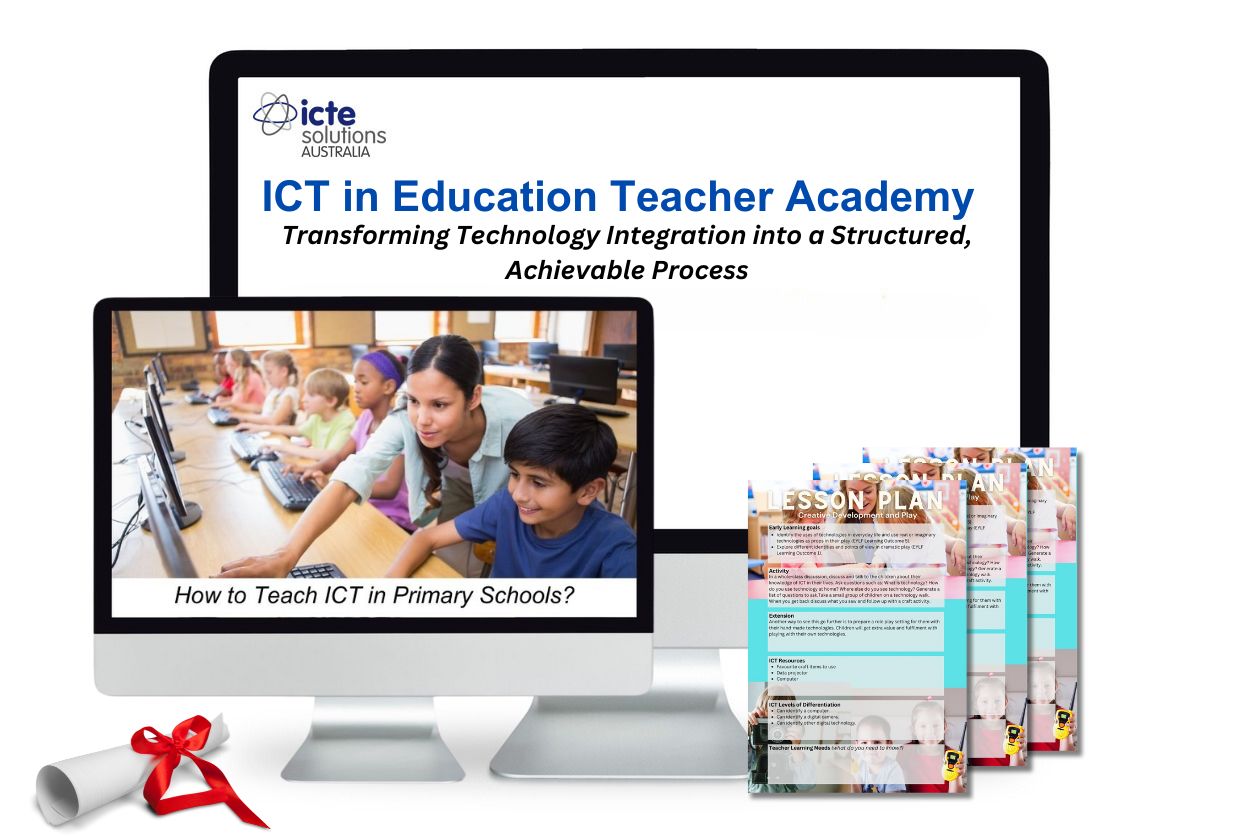
Why Professional Development Is the Key to Using Technology in Your Classroom
If you’ve read this far, you already know one important truth: technology alone doesn’t transform classrooms — teachers do. But here’s the challenge. Without support, ICT in the classroom often ends up being one-off activities, disconnected from your wider teaching goals.
So how do you move beyond experimenting to actually transforming your students’ learning? The answer is ongoing professional development. That’s what the ICT in Education Teacher Academy was built for.
Why one-off training doesn’t work
Think about most PD you’ve attended. You might leave with a few good ideas, but when it comes time to apply them, you’re on your own. The reality is, integrating ICT in the classroom is a process. You can’t shortcut it with a single workshop.
Research shows us that:
Teachers need continual, structured support to grow their ICT capability (CESE, 2021).
Confidence and reflection are just as important as access to devices (Sutherland, Robertson & John, 2009).
Transformation happens when teachers are part of a sustained learning journey, not isolated attempts.
That’s why ongoing CPD is the key.
The pathway that works
Inside the Academy, you’re guided through The Technology Integrator’s Learning Journey to Transformation. It’s a step-by-step growth process designed for teachers at every level:
Stage | .What you do | What changes for students |
Getting Started | Explore the tools already available and try small activities with clear guidance | Students experience ICT in simple, structured ways. |
Building Confidence | Adapt lessons, experiment, and reflect using planning templates and observation guides. | Students begin engaging in more interactive, collaborative tasks. |
Making it Work | ICT becomes embedded in daily practice, supported by expert playlists and community feedback. | Students problem-solve, collaborate, and create with purpose. |
Leading the Way | Design innovative ICT-rich learning experiences and model them for peers. | Students demonstrate higher-order thinking, creativity, and deeper understanding. |
What this looks like in action
Emma, a Year 2 teacher, joined at the Getting Started stage. She began with the Academy’s ICT Audit and a simple coding activity using Bee-Bots. By following the Lesson Planning Template, she quickly identified where ICT enhanced problem-solving in maths. Her students were suddenly more engaged and confident in working together.
By contrast, Mark, a Year 6 teacher, moved into Leading the Way. He redesigned a history unit around student-created documentaries, supported by the Academy’s Observation Guide to track collaboration and critical thinking. His students didn’t just learn history — they became historians, using ICT to analyse, interpret, and share their knowledge.
Different teachers. Different stages. But the same process: continual professional development leading to real classroom transformation.
Try this right now
Here’s the same first step I ask every new member to take:
Choose one tool already in your classroom (a tablet, an interactive whiteboard, even a simple camera).
Think of one subject area where it could make learning more engaging.
Design a short, 15-minute activity around it.
Afterward, reflect: What surprised you? What worked better than expected?
That’s your entry point into integrating ICT. And with the Academy, each of these small steps builds into a powerful professional learning journey.
Why this is the key
If you’re serious about using ICT to transform teaching and learning, you don’t need another app suggestion or a list of tools. You need a professional development process that grows with you.
That’s exactly what the ICT in Education Teacher Academy offers:
A structured Success Path that meets you where you are.
Practical resources to make integration easier.
Expert insights and a 24/7 Wisdom Tool for answers.
A community of teachers walking the same journey.
Because in the end, professional development for teachers using technology in the classroom is the real key. When you grow, your students grow with you.

Bringing It All Together
Over the course of this series, we’ve explored every angle of how to integrate ICT in the primary classroom — from understanding what ICT really is, to identifying the most effective tools, building teacher confidence, exploiting available technologies, and seeing how real transformation happens through continual growth. Each step has been designed to give you clarity, practical strategies, and the confidence to act immediately in your own classroom. You now have the complete answer to your question, and importantly, you can take what you’ve learned and begin applying it straight away.
But this is only the beginning. Lasting transformation comes from ongoing professional development — and that’s exactly what the ICT in Education Teacher Academy provides. With The Technology Integrator’s Learning Journey to Transformation, you’re supported step by step, from your first attempts through to leading innovation. You’re not on your own. You have lesson plans, expert insights, reflection tools, and a professional community to guide you. This means you can build confidence faster, apply ICT more effectively, and create real impact for your students.
Key takeaways from this series:
ICT is most powerful when teachers grow in confidence, not just when new tools are introduced.
Integration begins with small, practical steps you can try immediately.
Teacher reflection and adaptation are vital to improving ICT use.
Exploiting available technologies is more effective than waiting for “the next big thing.”
Transformation in teaching and learning happens through continual professional development.
The ICT in Education Teacher Academy is built to walk with you on this journey, step by step.
👉 The question isn’t whether you can integrate ICT in your classroom — you’ve already seen how. The real question is: are you ready to keep building with the guidance, structure, and support that makes lasting transformation possible? If so, the ICT in Education Teacher Academy is here to walk alongside you. Join today, save more with the annual plan, and start your own journey on The Technology Integrator’s Learning Journey to Transformation.